Tools
Browser and desktop automation through machine_use, and Webtop shell through agent-core’s execute.
machine-core contributes the machine_use tool under the
schema-first tool contract. Shell execution is supplied
through its authenticated Webtop connector and called with agent-core's execute.
Both act inside the selected per-project Webtop container.
| Entry point | Feature gate | What it does |
|---|---|---|
machine_use | machine.read, with machine.control for control actions | Browser and desktop automation: a 22-action enum × a chromium | desktop target |
execute with a Webtop source URI | core.execute + the entry feature machine.control + the source's own exec policy on the cwd, then source scope and machine lifecycle authority | Shell inside the selected machine |
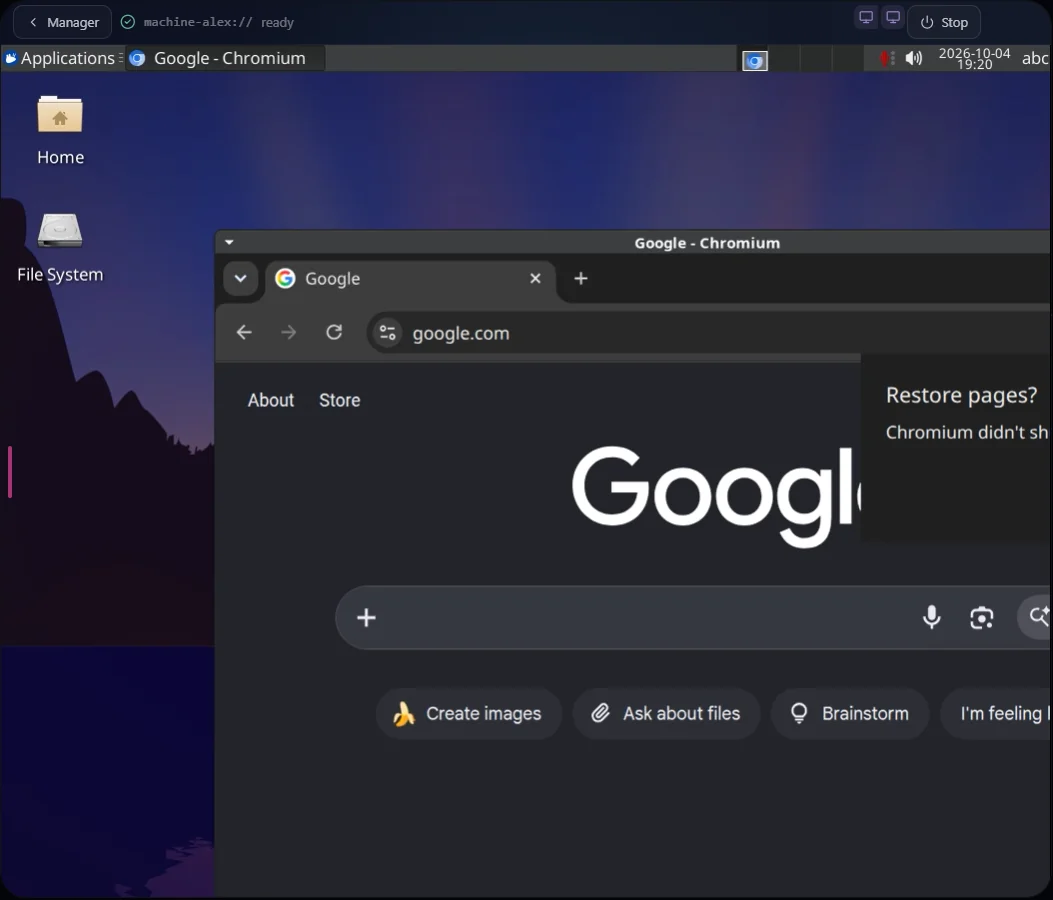
Machine in a configured installation, showing its desktop and browser within the complete application frame.
machine_use
One tool for everything an agent does on the desktop. It dispatches on an
action enum (22 values) and a target — chromium (the CDP-attached browser,
the default) or desktop (the full XFCE session driven through xdotool, maim and
ffmpeg). An optional uri picks the machine source by its slug (for example
machine-ops://); when omitted, the caller's first accessible machine source is
used (user, then agent, then project scope, with the bare machine fallback
when none is configured), and a slug outside the caller's accessible sources is refused.
{ "uri": "machine-ops://", "action": "goto", "target": "chromium", "url": "https://example.com" }| Group | Actions | Notes |
|---|---|---|
| Navigation | goto, wait, wait_for_selector, wait_for_text | goto accepts waitUntil: load | domcontentloaded | networkidle |
| Input | click, hover, type, key, scroll, drag, select | Chromium input is selector-based; desktop input is pixel-coordinate-based |
| Capture | screenshot, record | Image blocks; recordings go to disk |
| Read | read_text, read_dom, read_a11y, read_combined | maxChars truncation, default 8000 |
| Desktop ops | windows, activate_window, launch_app, cursor_position | Desktop target only |
| Composite | batch | Up to 50 atomic steps in one call under a 10-minute budget by default, both adjustable by an admin |
clickresolves links deterministically. In Chromium modeclickfirst walks the DOM for the closest<a href>; if found, the driver navigates and reports{ navigated: true, href, url, httpStatus }, otherwise it falls back to a locator click with auto-wait. Successful results carryok: true.keyis atomic-combo only. Desktop key input accepts combo strings like"ctrl+c","Return","alt+F4"; decomposedkeydown/keyupprimitives are rejected, so modifiers cannot be held across calls. A default denylist blocks session-hostage combos (ctrl+alt+del, the TTY switchesctrl+alt+f1…ctrl+alt+f12,super+l,super+r,super+d,alt+f4,ctrl+alt+backspace,ctrl+alt+t,alt+sysrq). It is enforced in the tool handler and again inside the machine; an admin's exceptions reach the machine's own check only when the machine is created. Surface a block to the user rather than retrying an alternate spelling.screenshotis shape-aware per target. Chromium acceptsselector,fullPageorclip; desktop acceptsscale(default 0.75),regionandquality(JPEG re-encode).read_combinedreturns{ text, dom, url }in one round trip.batchruns atomic action objects sequentially, audit-logging each step; it aborts on the first failed step and reports per-step latency instructuredContent.steps[].durationMs.
Recording and vision output
record (desktop target) captures the screen for durationMs — capped at 120
seconds by default, adjustable by an admin up to 300 seconds — at a configurable
fps (default 8) and format (webm default, mp4 available). The recording is
always written to the machine's recordings directory and a
data://machine-core/recordings/<filename> URI comes back; load it with
fs_read when needed, and the platform delivers it to the active model as native
video where supported, up to 12 sampled frames on vision models without video
input, or an honest size marker. Recordings are swept after a configurable window
(default 24 hours).
screenshot returns an image content block (image/png or image/jpeg)
alongside a text block, so text-only models can still reason over the result.
Every result carries structuredContent.timings.totalMs.
Feature gating per action
Read-class actions — screenshot, record, read_text, read_dom,
read_a11y, read_combined, windows, cursor_position, wait_for_selector,
wait_for_text — pass with machine.read; every other action requires
machine.control, including a bare wait. A batch requires the worst-case
feature across its steps. The tool's schema records this as
x-neuralis.requires: { features: ["machine.read"], escalations: ["machine.control", "files.readOthers"] }:
the required feature depends on the action argument, so it is enforced in the
handler. Starting a machine that is not yours (a kept container or an existing
profile) needs files.readOthers when the lifecycle ownership check requires it.
Webtop shell
Use agent-core's execute with the registered source URI in cwd —
execute({ command: "pwd", cwd: "machine-ops:///config" }), where the scheme is
the source's slug. There is no machine-specific action and no source-free fallback.
| Parameter | Type | Notes |
|---|---|---|
command | string, required | Executed via /bin/bash -lc inside the selected container |
cwd | string | Exact source URI: <source>:// means /; <source>:///config means /config |
timeout | integer, 1000–1800000 | Optional; omission keeps the in-container default. Explicit values are clamped by the machine ceiling |
Webtop takes the caller's own env and runs background: true when the machine's
desktop image supports them; a machine created from an older image refuses either
by name and says to recreate it. It receives no platform session ticket, skill
credentials or substitution environment. Stop ends the wait and, where the image
supports cancellation, the command's whole process group — a grandchild that opened
its own session survives, so inspect state before retrying. For a skill script, use
the activation envelope's actual directory URI and a relative command. The result
contains bounded output, exit state, source and cwd with plane: 'connector'.
Authenticated external MCP clients can use this connector path without an agent
stream. See the execute contract.
It requires the machine.control entry feature (owner, admin and manager by default) and an
exec grant on the working directory in the source's own path policy. The real
boundary is the container sandbox plus that grant plus network isolation —
not the command denylist. Two denylists exist: the tool handler refuses seven
leading tokens (shutdown, reboot, halt, poweroff, ufw, iptables,
nft) before the command leaves the host — such a command is refused rather than
executed and is not written to the machine audit log — and the in-container agent
re-checks a strict superset that also blocks nftables, mkfs, fdisk, mount,
umount, ffmpeg and gst-launch-1.0. Both inspect only the leading token while
the command runs through a shell, so they are cosmetic friction, not a security
control; neither is removable by a role, a grant or a setting. Screen recording
still goes through machine_use action=record so its caps apply. Command output is
size-bounded; pipe large output to a file under /config/ and read it back with
fs_read.
Commands run with a filtered environment: the in-container agent passes an
allowlist (PATH, HOME, locale, DISPLAY, the XDG set) to everything it spawns,
so the stream password and the agent's own bearer token are not inherited. This
bounds accidental leakage; it is not a boundary against a machine.control holder,
who is root-equivalent inside the container.
The former machine_exec callable has no alias: execute also exposes app/host
shell and skill activation, so tool selections are not broadened automatically.
For an existing machine with no source, an authorized source manager can attach a
webtop source at the same project and slug without replacing its container or
profile; shell permission alone does not grant source-creation authority.
Audit trail
Every machine_use call is logged with its action, target, session key and caller
identity; every Webtop shell call is logged with the command line and caller.